

Requestly converts cURL commands into fully editable API requests. This makes it easy to migrate from terminal workflows, import requests from documentation, or grab a request straight from your browser’s DevTools network panel.
How to Import a cURL Command
Open Requestly App
Download and launch the Requestly Desktop App.
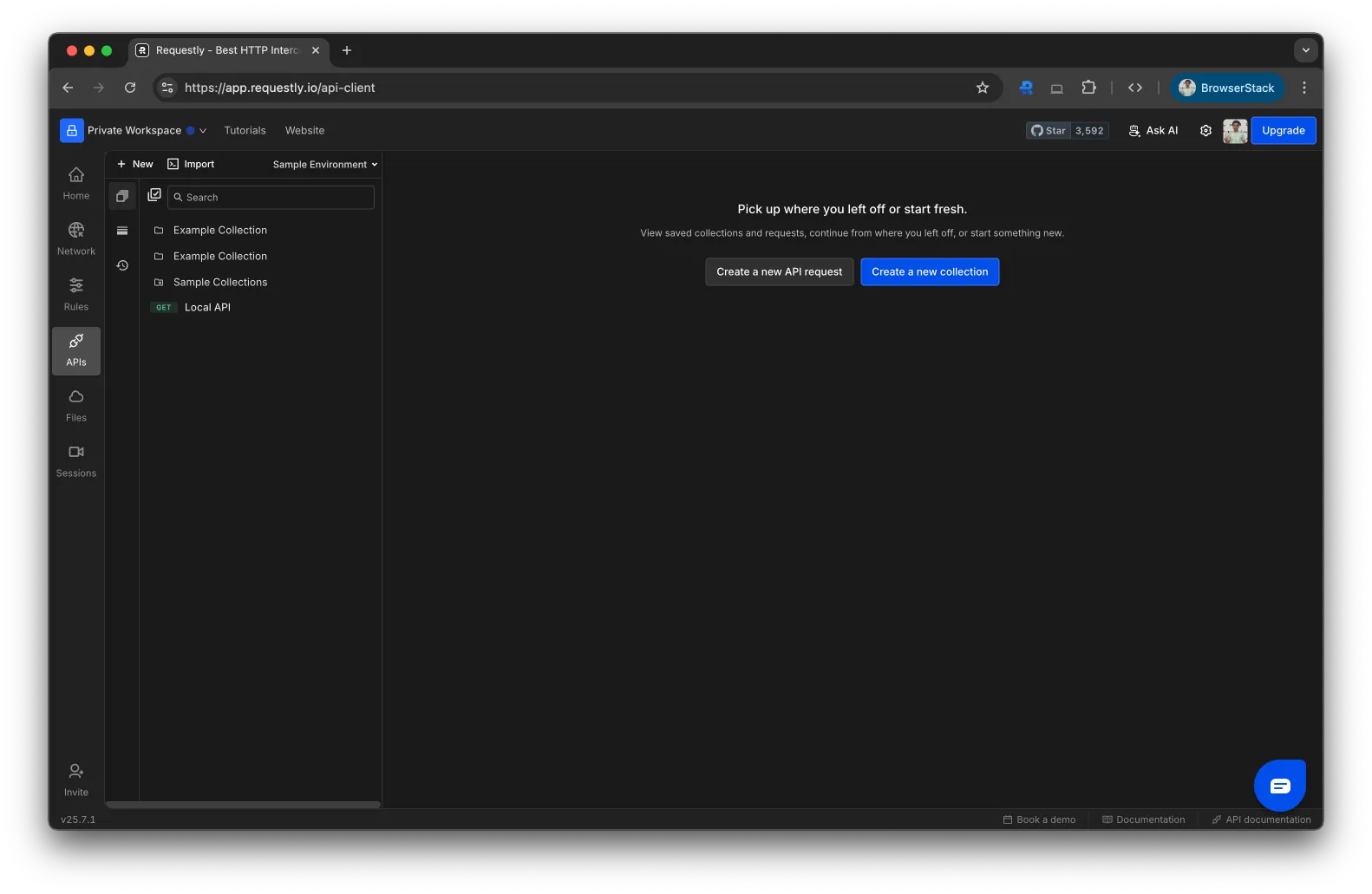
Click Import and Select cURL
In the top-left corner of the API Client, click the Import button. Choose cURL from the dropdown.
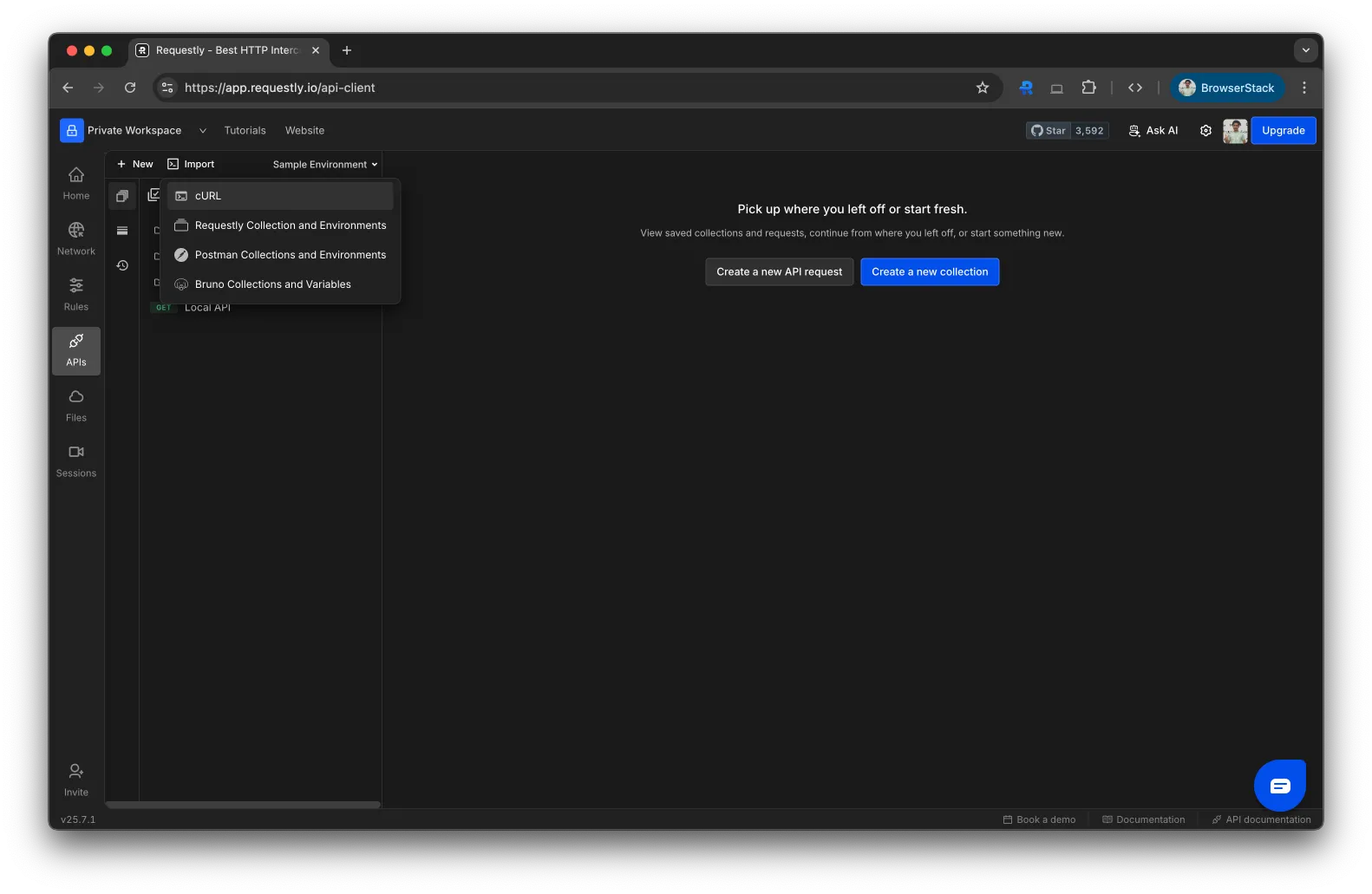
Paste Your cURL Command
Paste your raw cURL command into the input box.
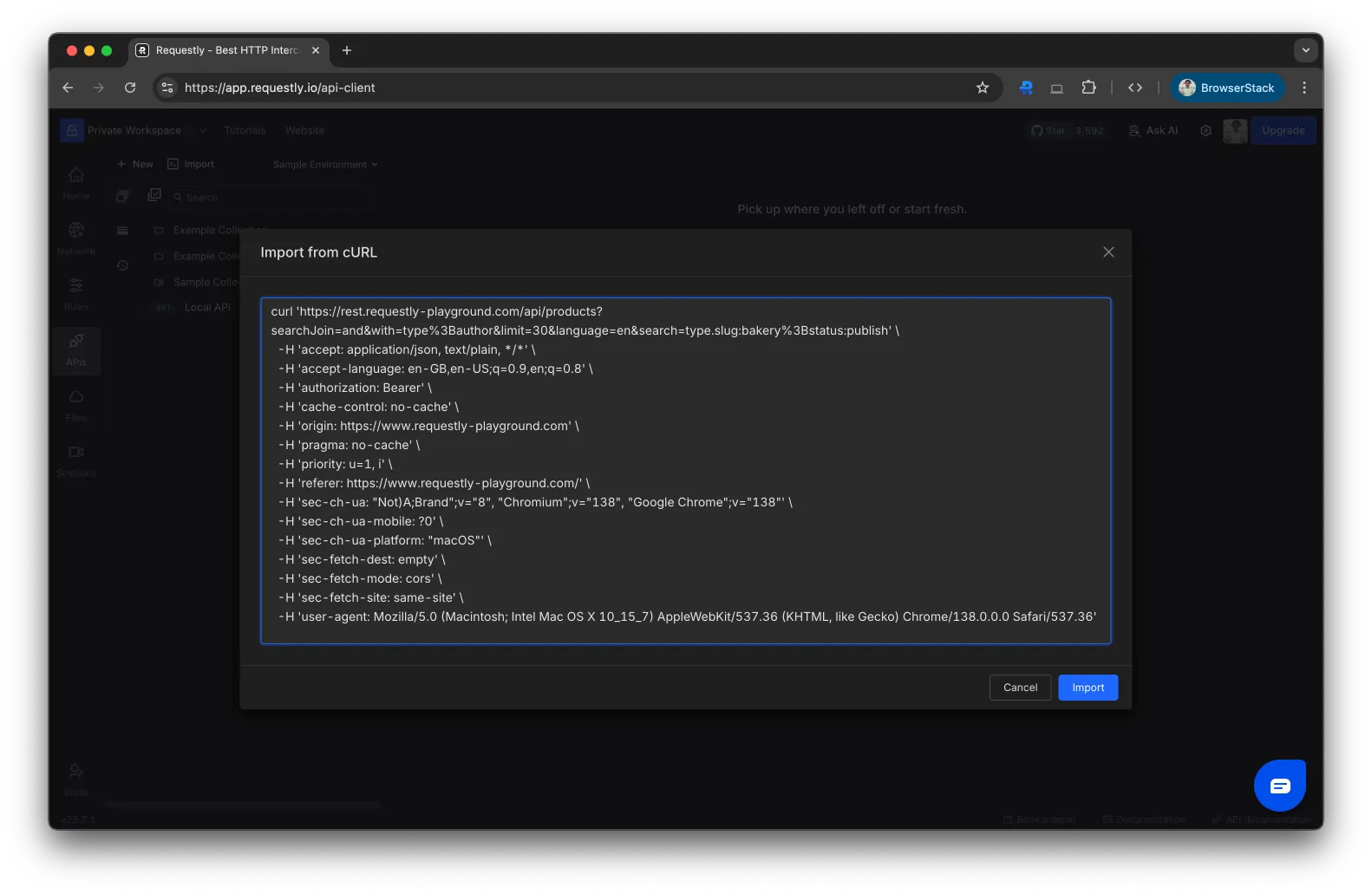
Click Import
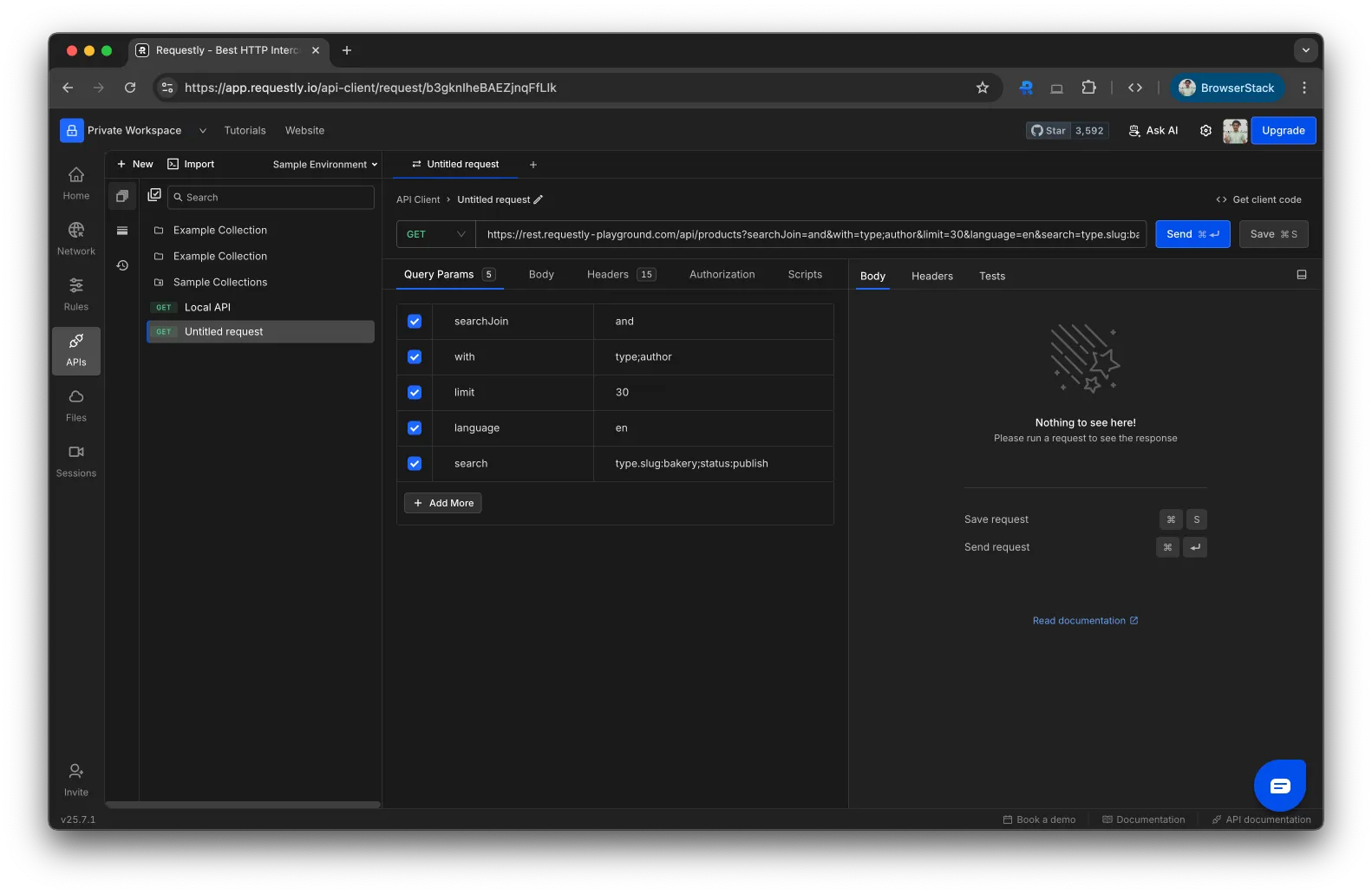
Click Import . Requestly converts the cURL into an editable API request, ready to send or save to a collection.
cURL Examples
Paste any of these directly into the import dialog to see how they convert.
Simple GET request
curl https://api.example.com/users
GET with headers and query param
curl "https://api.example.com/users?page=2" \
--header "Authorization: Bearer YOUR_TOKEN" \
--header "Accept: application/json"
POST with JSON body
curl --request POST \
--url https://api.example.com/users \
--header "Authorization: Bearer YOUR_TOKEN" \
--header "Content-Type: application/json" \
--data '{"name":"Jane Doe","email":"jane@example.com"}'
PUT to update a resource
curl --request PUT \
--url https://api.example.com/users/42 \
--header "Authorization: Bearer YOUR_TOKEN" \
--header "Content-Type: application/json" \
--data '{"name":"Jane Smith"}'
DELETE request
curl --request DELETE \
--url https://api.example.com/users/42 \
--header "Authorization: Bearer YOUR_TOKEN"
POST with Basic Auth
curl --request POST \
--url https://api.example.com/login \
--user "myuser:mypassword" \
--header "Content-Type: application/json" \
--data '{"remember_me": true}'
You can copy cURL commands directly from your browser’s DevTools. Open DevTools → Network tab → right-click any request → Copy as cURL .
What Gets Imported
When you paste a cURL command, Requestly extracts:
HTTP method (-X, --request)
URL and query parameters
Headers (-H, --header)
Request body (-d, --data, --data-raw, --data-binary)
Basic Auth credentials (-u, --user)
What’s Next?
Save to a Collection Organize imported requests into collections
Add Environment Variables Replace hardcoded values with reusable variables
Import from Postman Migrate entire Postman collections